Simple. Smart. Actually enjoyable.
Your money.And the money you share.
HomePocket keeps two budgets side by side: yours, which only you see, and the household's, which everyone in it shares. One swipe says which side an expense belongs to.

Free for your first month. Cancel anytime.
On iPhone, iPad, Android and the web. In English, Spanish, Portuguese and French.
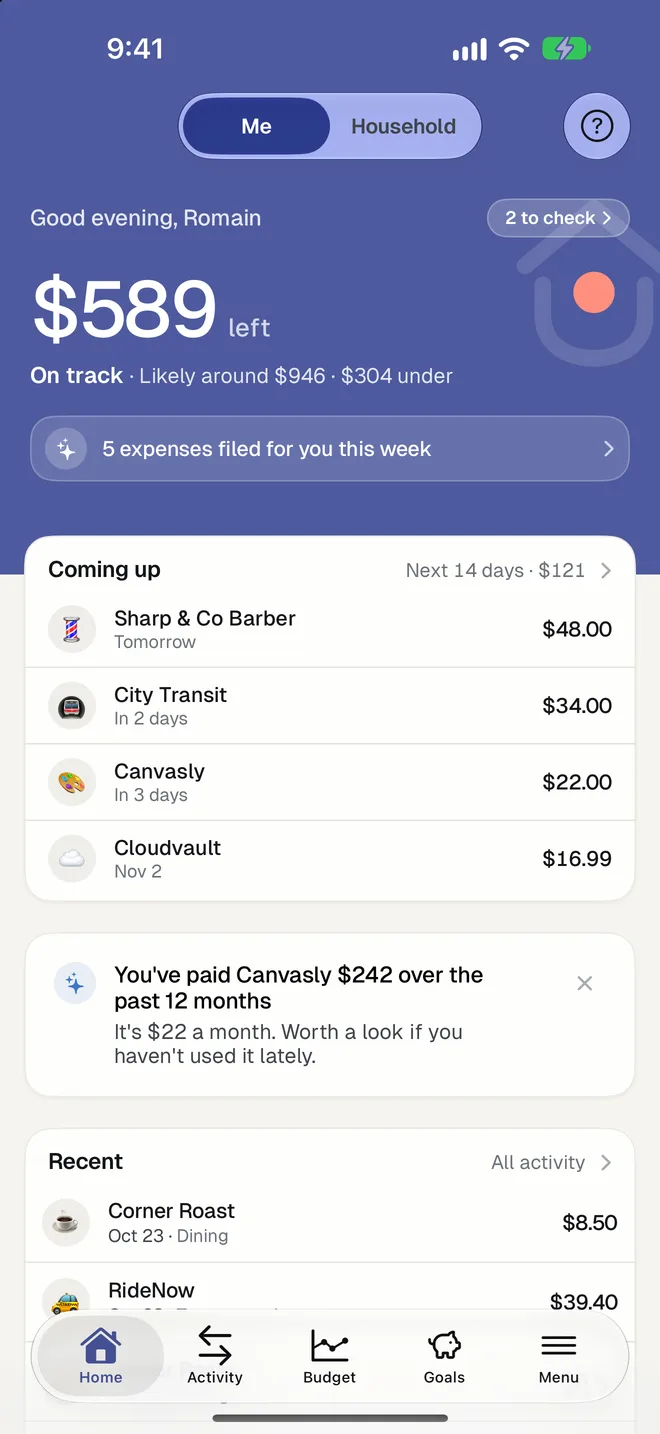
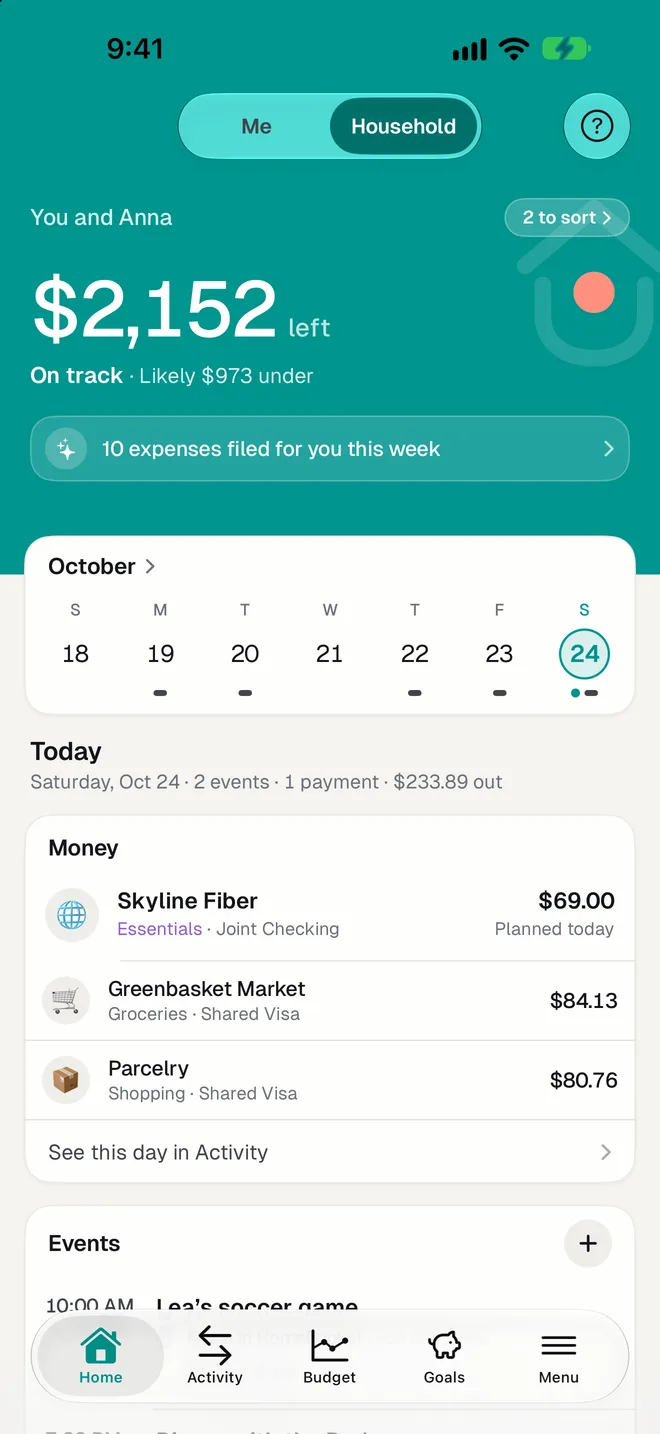
Two sides, one switch
Most budget apps pour everything into one pot, or make you share everything. HomePocket starts from how homes really work: some money is yours, some is the household's.
Your accounts, your spending, your budget and your goals. Nobody else sees them, not even as a total.
Joint accounts, shared expenses, the household budget and what each person put in. Everyone in the household sees the same thing.
A shared expense paid with your own card shows the others the expense, never the account it came from.
30-second tour
See it before you sign up
The same preview as in the App Store: the two sides, a swipe to sort, the month at a glance, and events with their budget.
Sort
Swipe left for yours, right for the household's
New expenses arrive already filed in a category. The few that need an answer are a card to swipe, and a shop's charges count as one. Most days there's nothing to do.
For couples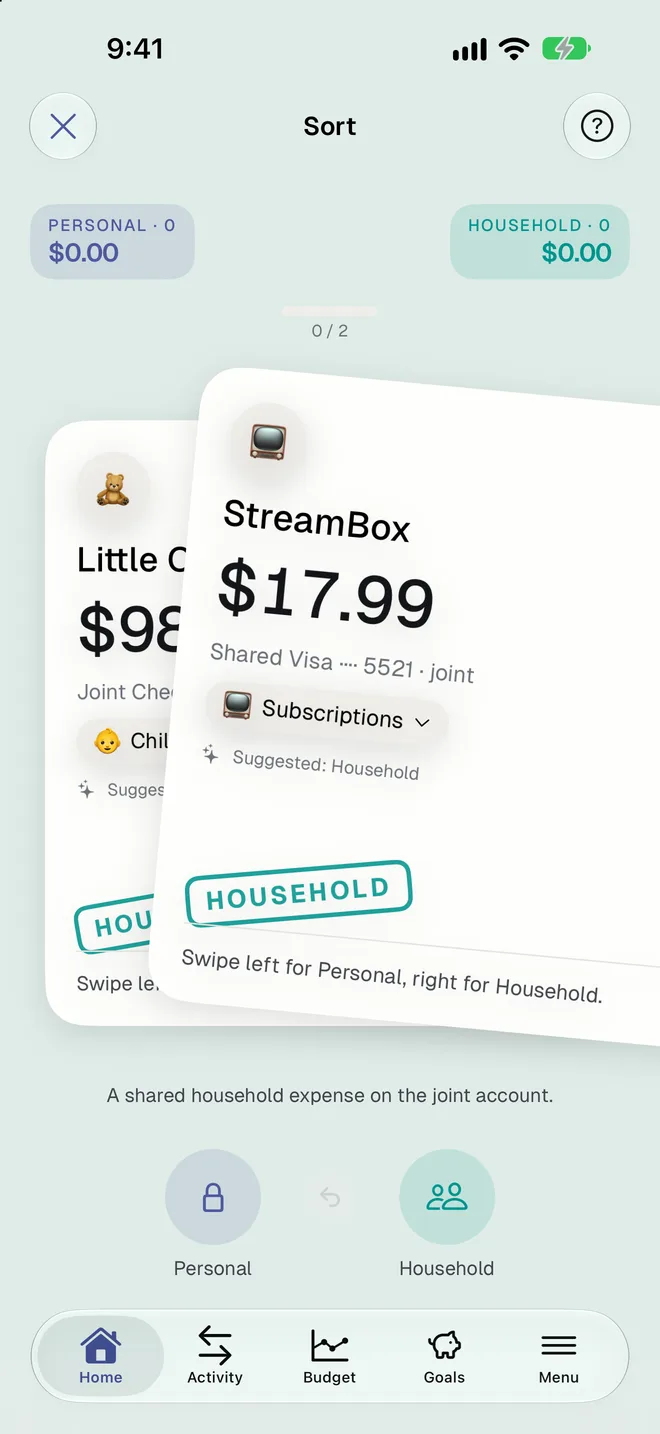
Budget
Know where the month will land
Your budget is three limits: Committed, Essentials and Flexible. A line shows your pace against a usual month and says, in plain words, whether you're likely to end over or under.
Monthly budget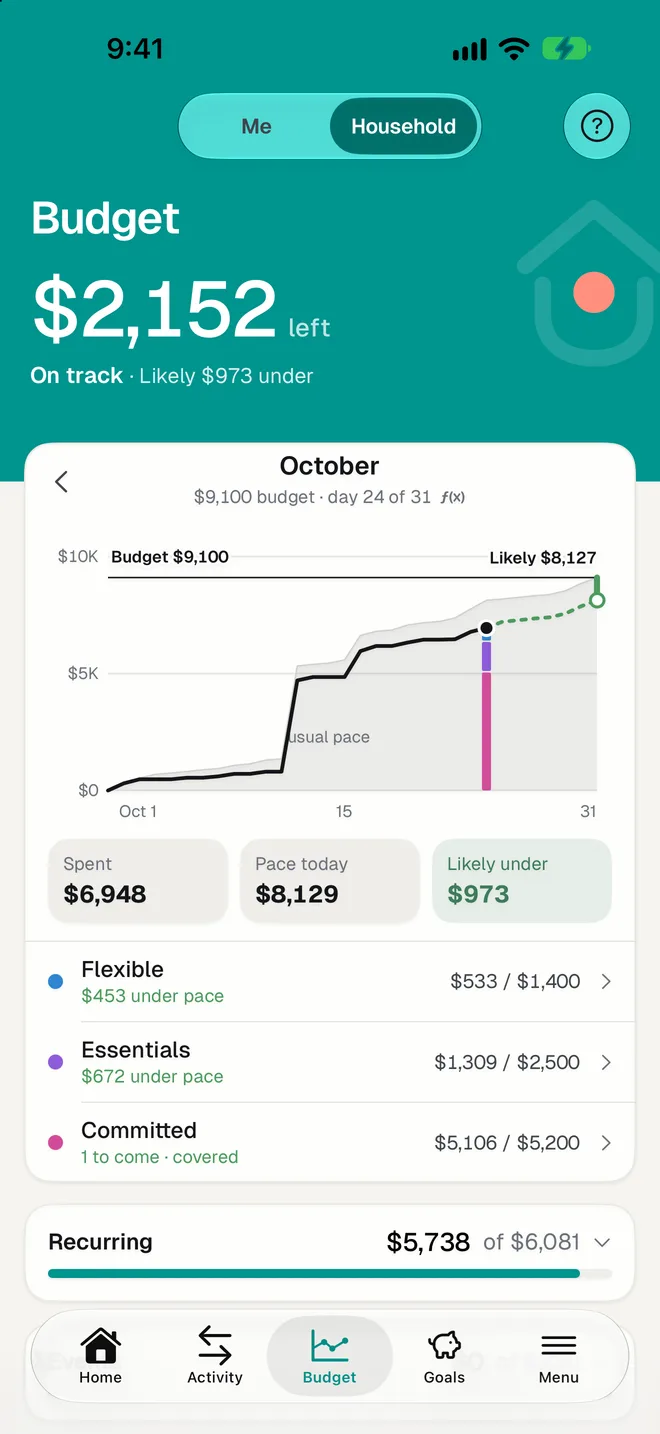
Smart Import
Snap a receipt. Done.
Take a photo of a receipt or a screenshot of a payment, and the amount, shop, date and category are filled in for you to check. A bank statement becomes a list you tick.
Smart Import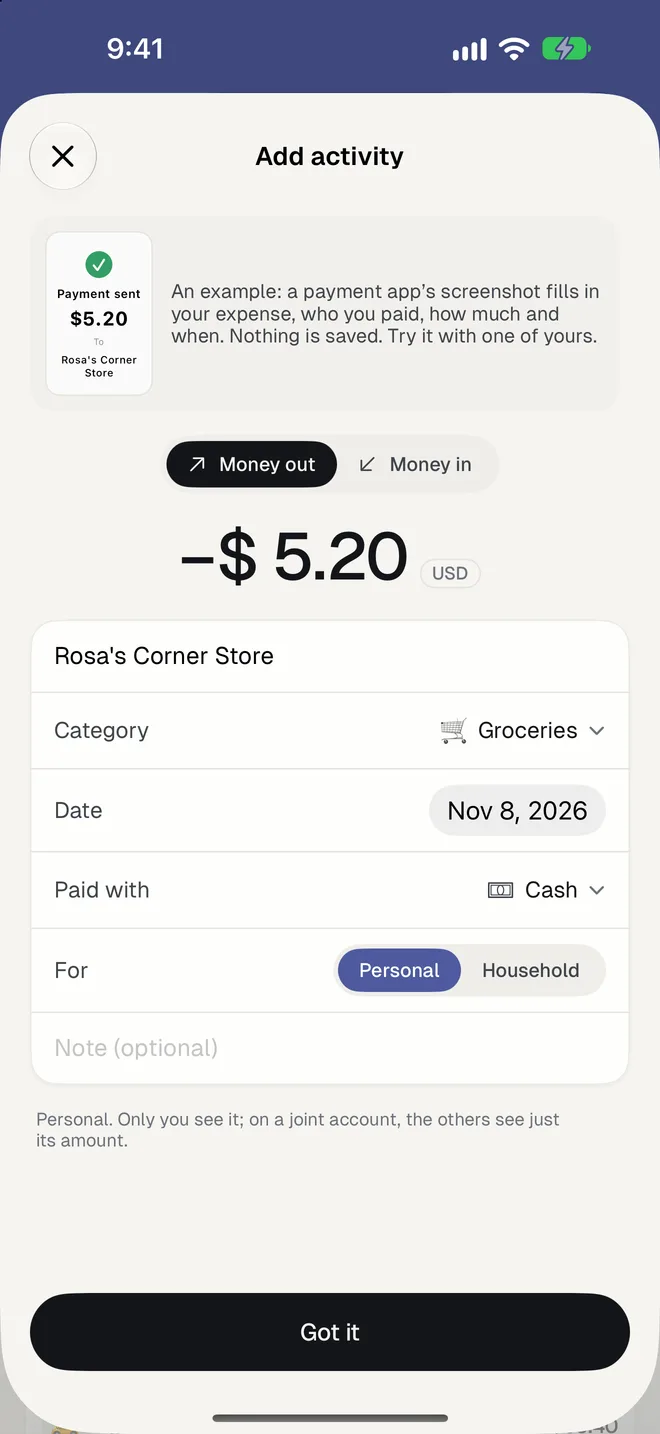
Recurring
Every subscription and bill, on a calendar
HomePocket spots what repeats, from rent to streaming, and shows what's due this month, what was paid, and what costs more than it used to.
Recurring payments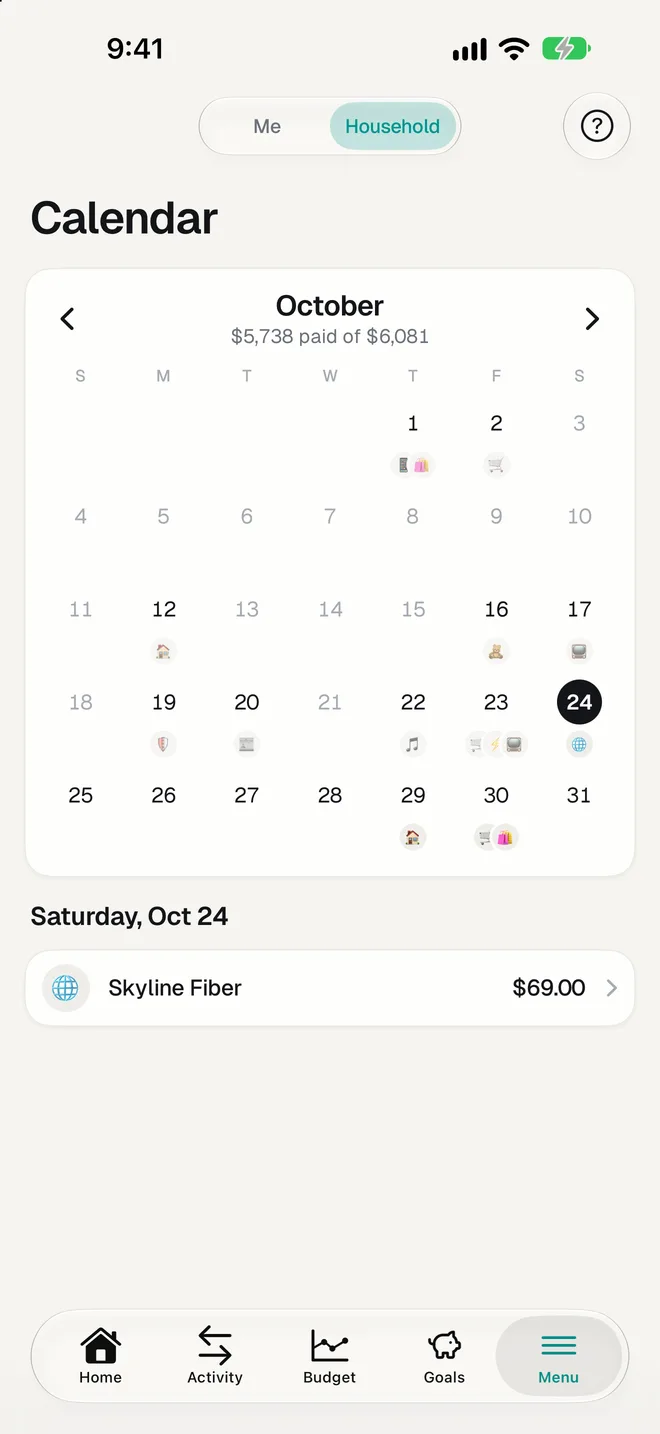
Goals and pots
Save for it. Plan for it.
Goals build up month after month. Yearly pots hold the big, irregular costs, like holidays or insurance, so they never wreck a month.
Goals and yearly pots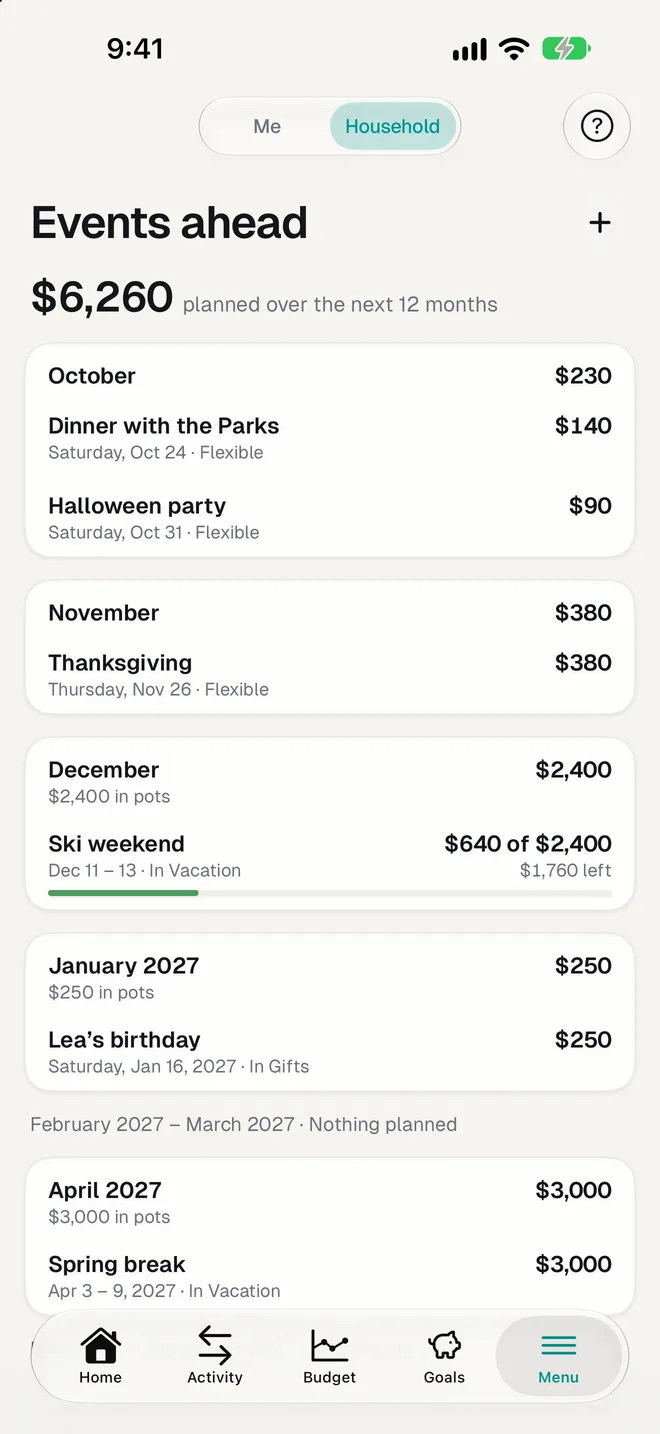
Everything a home's money needs
Built for two or three people, and just as good on your own.
- For couplesYours, mine and ours, without a spreadsheet.
- For roommates and familiesUp to three people, one shared budget.
- Monthly budgetThree limits and an honest forecast.
- Smart ImportA photo becomes an expense.
- Recurring paymentsSubscriptions and bills, found for you.
- Goals and yearly potsSave for it, and plan the big costs.
- Apple CardApple Card, Cash and Savings, in your budget.
- Not ready for an app? Start with a calculator.Split shared expenses by income, size a household budget, work out a fair contribution or turn yearly costs into one monthly amount. Free, no sign-up, nothing you type leaves your browser.
Set up in minutes
- 1
Bring your money in
Connect a US bank or Apple Card, or add expenses with a photo, a screenshot or by hand. Anywhere in the world.
- 2
Let it set itself up
One tap files your shops into categories, finds your recurring payments and proposes a budget from your own history. You answer three questions at most.
- 3
Open it and know
What's left this month, what's coming up, and what still needs a swipe. That's the whole home screen.
Private by design
Yours stays yours
Privacy is enforced on our servers, not just hidden on screen. Another member's private data never reaches your device.
Two-step verification
Connecting a bank requires it. Use Face ID, a fingerprint, an authenticator app or a code by email.
No ads. No selling data.
HomePocket is paid for by its subscribers. Your data isn't sold or used for advertising.
Leave with everything
Download all your data anytime. Disconnect a bank and keep the history, or delete it all.
One price for the whole home
The same app on every plan. The only difference is how many people use it.
Individual
For one person
$59.99a year
or $6.99 a month · −28%
Together
For up to 3 people in one household
$89.99a year
or $9.99 a month · −25%
- Me and Household budgets
- Bank connections in the US, Apple Card on iPhone
- Smart Import for receipts, screenshots and statements
- Recurring payments, goals and yearly pots
- iPhone, iPad, Android and the web
Your first month is free. Cancel anytime before it ends and you pay nothing.
Free for your first month. Cancel anytime.
US prices. In the App Store and Google Play, prices are shown in your country's currency. Without a bank connection, your first 5 transactions need no plan at all.
Questions people ask
Is HomePocket only for couples?
No. A household is one to 3 people: a couple, a family, roommates, or just you. On your own, you can keep Me and Household apart (useful if you run the home's budget) or turn the split off and have one simple budget.
Can my partner see my personal spending?
No. Everything on your Me side is visible to you only: accounts, expenses, budget and goals. Others see an expense only when it's on a joint account or you marked it Household, and even then never the private account that paid it.
Do I have to connect a bank?
No. In the US you can connect banks (through Plaid) and Apple Card. Everywhere, you can add expenses by photographing a receipt, sharing a payment screenshot, importing a statement or typing them in.
Which countries and currencies does it work in?
HomePocket works anywhere with expenses added by photo or by hand, in your own currency, and converts foreign purchases at the day's rate. Bank connections are available for US banks.
How much does it cost?
Individual is $59.99 a year or $6.99 a month. Together covers up to 3 people for $89.99 a year or $9.99 a month. The first month is free.
What happens to my data if I stop?
You can download everything as a file, and delete your account from Settings at any time. Bank connections are revoked when you remove them.
Give your home's money a place
Start free, see your month in minutes, and invite the people you share it with whenever you're ready.
Free for your first month. Cancel anytime.